

Teach your students to write Arabic
Write and explain on the whiteboard, then let students write alongside you from their devices. Practise with letter exercises or create worksheets to print.
Try it: trace the letter
How to use the board with your students or colleagues
Use the board for extra learning support, online lessons or teaching in the classroom.
Open the board
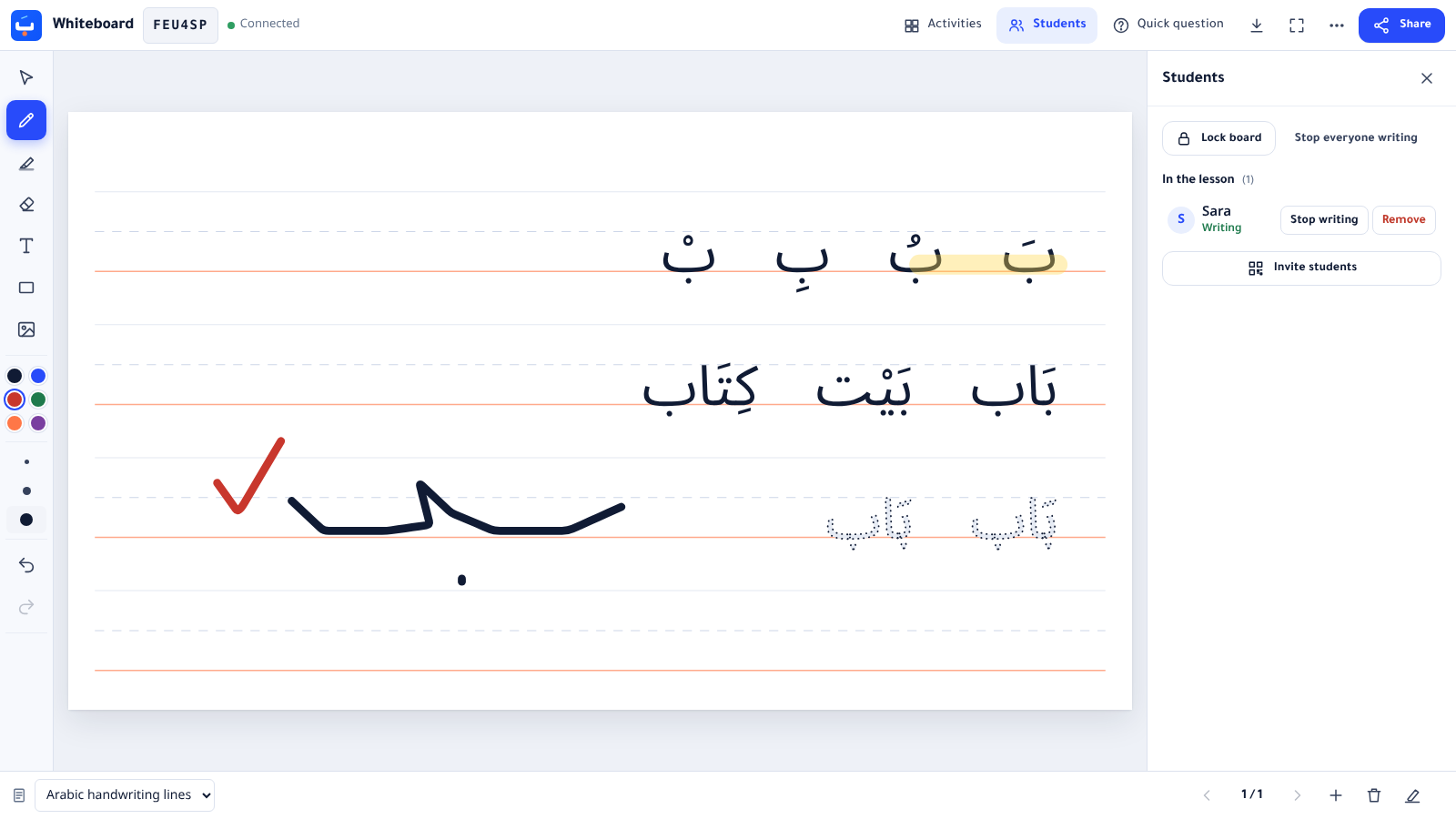
Write with the pen or add Arabic text with diacritics. Insert an image or PDF to annotate as you explain.
Share the code
Share the lesson code or link with your students. They can also scan the QR code to join from a phone, without creating an account.
Let students write
Students can view the board when they join. They ask to write and can start once you approve.
Review and correct
Correct the student’s work in another colour. Pause student writing while you explain, then let another student take part.
Read the step-by-step teaching guide
Interactive practice
Practise letter shapes, tracing and diacritics, and match words to pictures.
Letter tracing
Follow the model to practise a letter in different positions within a word.
Missing letter
Complete the word with the right letter from a set of look-alikes.
Letter forms
Recognise a letter at the start, middle and end of a word.
Vowel marks
Tell fatha, damma, kasra, sukun and shadda apart.
Word matching
Match each Arabic word with its picture.
Flashcards
Review vocabulary: the word on one side, its meaning and letters on the other.
Maths, chemistry and biology
Tools that work at once with no account, each with a worksheet and the board carrying the same content.
Printable worksheets
Choose the letters or words you want to practise, then print the worksheet or download a PDF.
Arabic writing guides
- The Arabic Alphabet and Letter FormsAll 28 letters with their initial, medial and final forms, pronunciation and examples.
- Arabic Vowel Marks (Harakat)Fatha, damma, kasra, sukun, shadda and tanwin: what they look like, how they sound, with examples.
- Connecting Arabic LettersHow letters join inside a word, and the six letters that never join the next one.
- Arabic Handwriting Practice: A Step-by-Step MethodA practical way to teach children and adults to write the Arabic letters in Naskh script.
Who are these tools for?
- Parents helping their children learn Arabic at home.
- Teachers offering extra learning support or teaching Arabic online.
- Teachers who livestream lessons and want viewers to take part in writing.
- Adults learning Arabic and beginners of all ages.
Need to type Arabic on a computer without an Arabic keyboard? Online Arabic keyboard