


Hurayrah: a little kitten who keeps you company while you browse
Hurayrah (“little kitten”) is a free extension for Google Chrome, made by Bayyinli. It is a small companion of its own, separate from the Bayyinli whiteboard and worksheets.
Hurayrah is not yet available in the Chrome Web Store.
For Google Chrome 116 or later on a computer. Hurayrah's own screens are in English; the dhikr are in Arabic, with transliteration and meaning. No account and no ads.

It becomes your new tab
Once installed, Hurayrah replaces the page Chrome shows when you open a new tab. If another extension also changes the new tab, Chrome asks which one to keep. To get Chrome's usual new tab back, turn Hurayrah off or remove it in chrome://extensions.
A room that follows your day
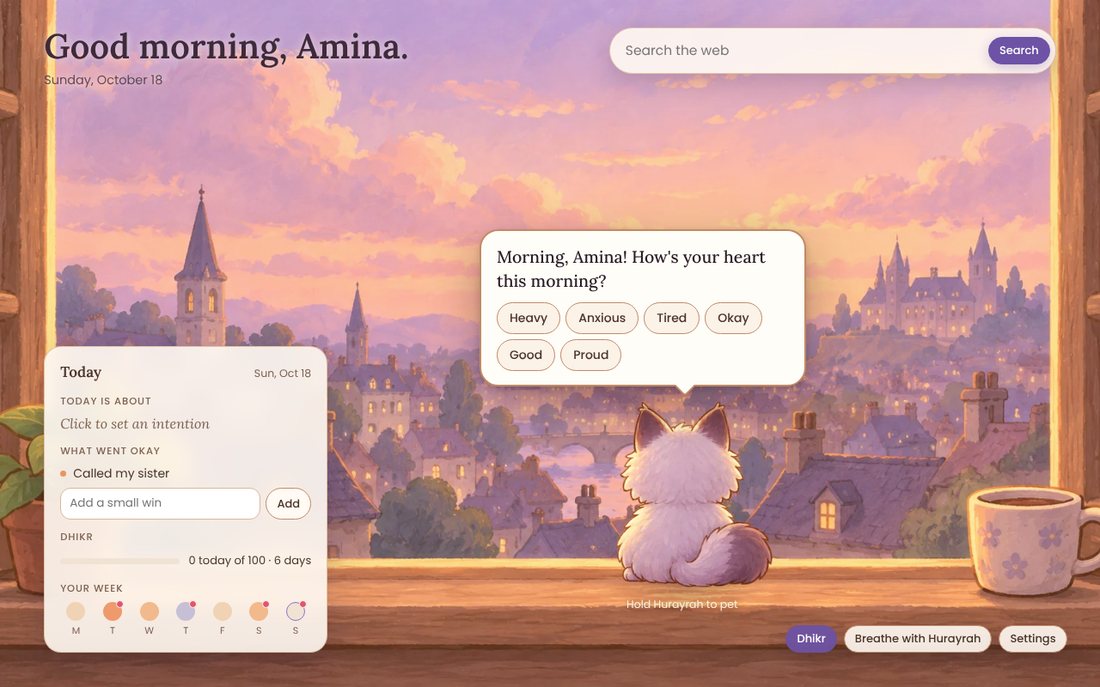
- The windowsill follows the time of day: morning light, golden evenings, a starry night with a lamp.
- A short check-in on how you are, and a gentle follow-up on harder days.
- Your intention for the day, and the small wins that went okay.
- Breathe with Hurayrah: a soft light that grows as you breathe in. You can also hold Hurayrah to pet it.
- A search box that searches with your usual search engine (the one set in Chrome).
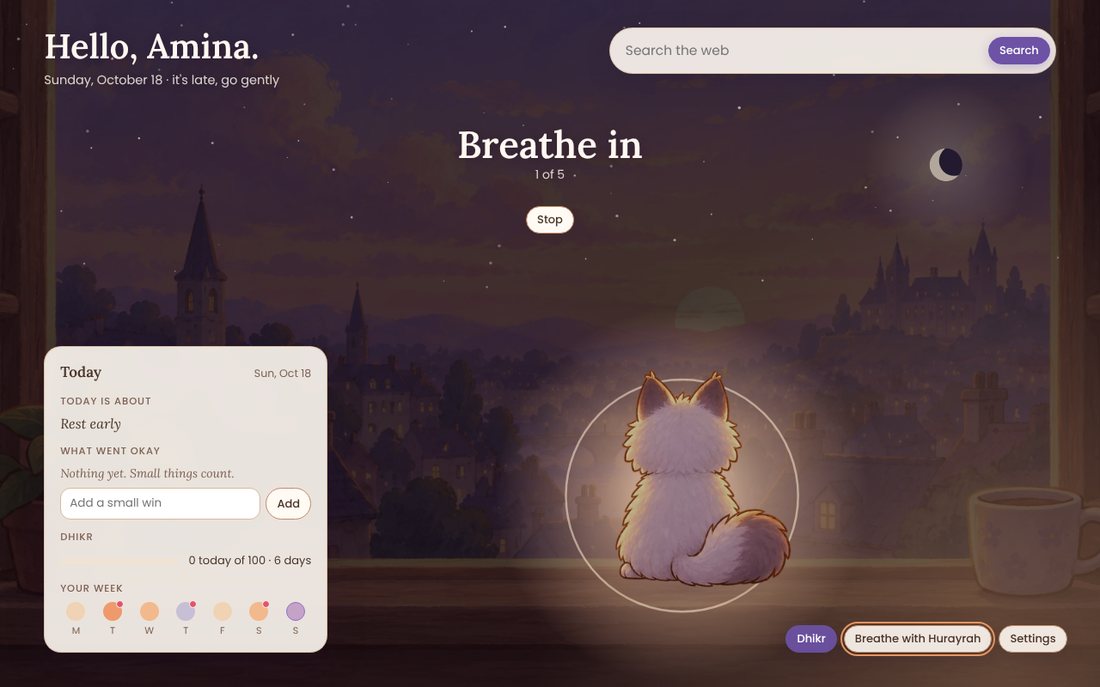
Hurayrah is a friendly companion for small pauses. It is not a health, medical or therapy service.
Small visits, if you want them
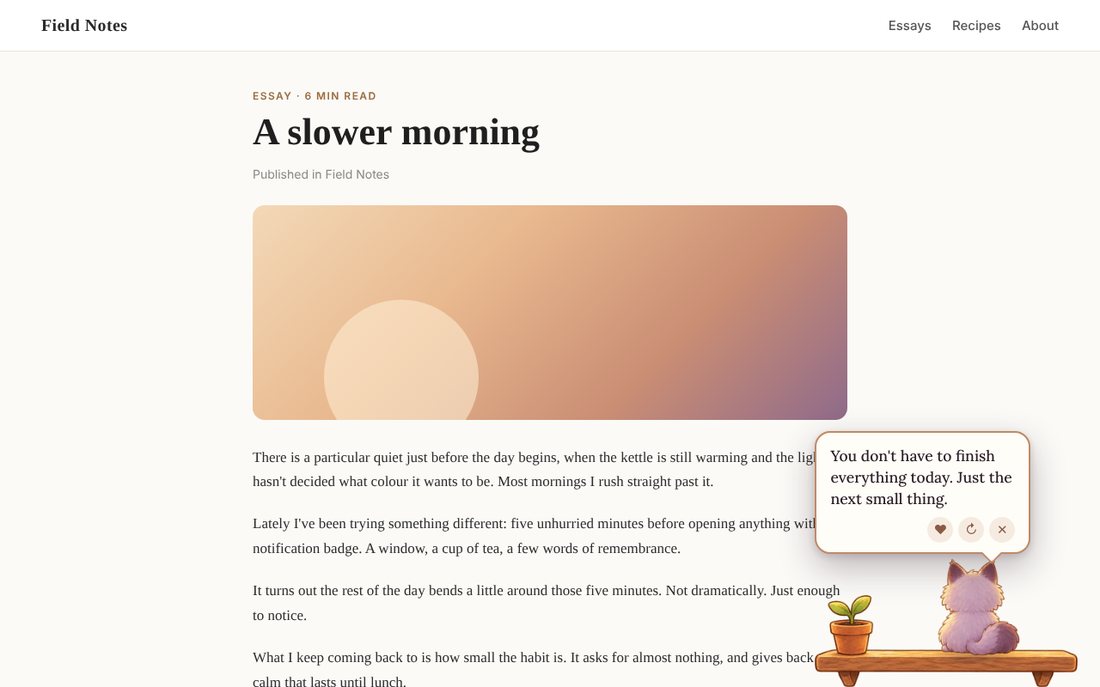
- Now and then Hurayrah appears in a small window in the corner of the screen with something kind, funny or useful, then hops away. You choose how often (rarely, sometimes, often), set quiet hours, or pause it.
- Click Hurayrah's icon or press Alt+Shift+P and it climbs onto the page you are on.
- You pick the topics (confidence, rest, focus, gratitude and more), small habit nudges (water, posture, stretching, breaks), and notes to your future self.
- Reminders can also come as Chrome notifications, only if you allow them.
A dhikr counter that recites with you
سُبْحَانَ اللَّهِ · الْحَمْدُ لِلَّهِ · اللَّهُ أَكْبَرُ
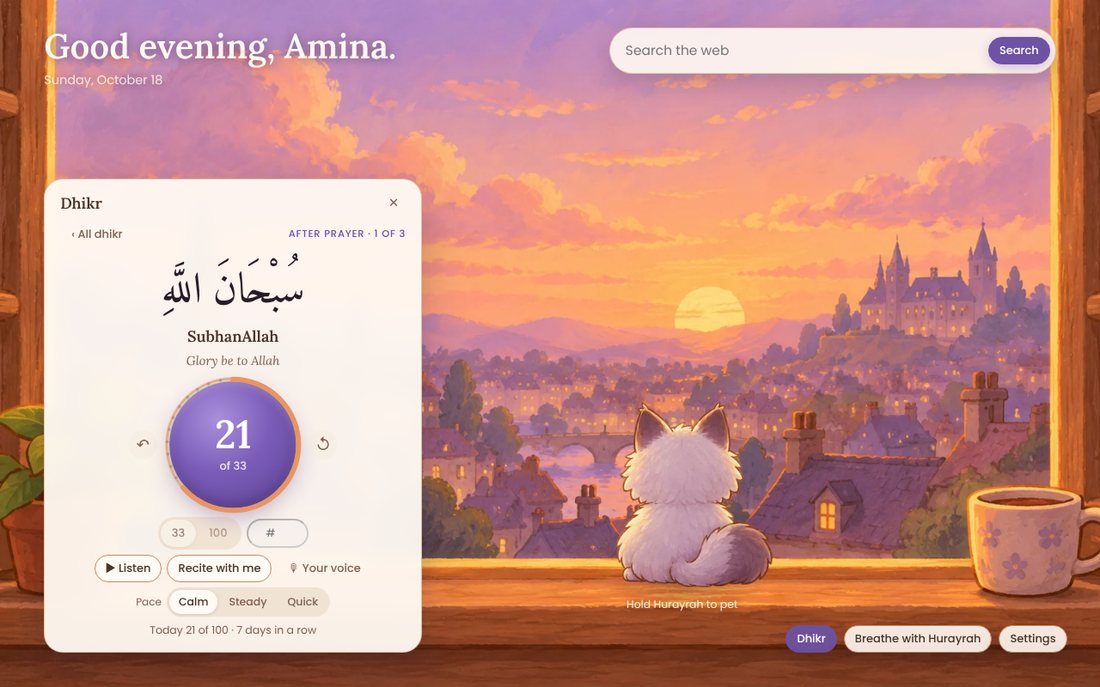
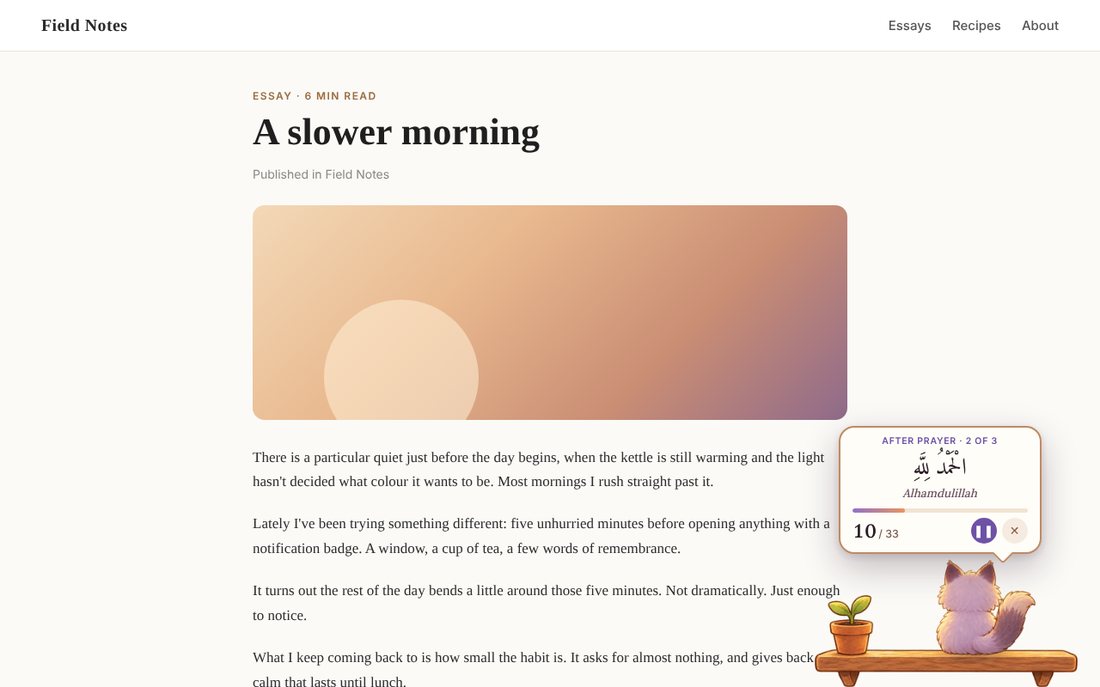
- Tasbeeh, Hamd, Takbeer, Istighfar, Tahleel, Hawqala and salawat; the after-prayer set (33 · 33 · 34) and the four beloved words.
- 33, 100 or any number. Count by tapping, with the Space bar, or by tapping Hurayrah. A daily goal and gentle reminders.
- Every dhikr comes with a recorded human recitation, included in the extension (recorded by its author and used with permission). “Recite with me” recites and counts at a calm, steady or quick pace.
- You can use your own voice instead: record it once (Chrome asks for the microphone only then), add an audio file, or paste a link to one.
- “Sit on this page”: Hurayrah sits in the corner of the page you are reading and recites until you close it.
Privacy in brief
- No account, no ads, no analytics. Hurayrah has no server of its own and sends nothing about you to Bayyinli.
- Your name, check-ins, notes, counts and recordings are kept in Chrome on your computer.
- Some features use the internet: the search box sends your search to your search engine; an audio link you add is fetched from its website; and if you remove a built-in recitation and have no recording, Chrome's speech voices are used, some of which work online.
- Hurayrah does not read the pages you visit. It can show itself on the current page when you click its icon, press its shortcut or choose “Sit on this page” (Chrome's activeTab and scripting permissions).
Help
- Hurayrah does not appear on my new tab.
- Open a new tab. If another extension also changes the new tab, Chrome asks which one to keep: choose Hurayrah.
- How do I call Hurayrah onto a page?
- Click Hurayrah's icon in the toolbar (pin it with the puzzle-piece button) or press Alt+Shift+P. Chrome's own pages and the Chrome Web Store cannot show it.
- How do I let it recite while I read?
- Click the icon → Dhikr → choose a dhikr and a count → Sit on this page. Press ✕ to stop. On another page, press Sit on this page again; the count carries on.
- Can it use my own voice?
- Yes. In Hurayrah's room open Dhikr → Your voice → Record, and say the dhikr once. You can also add an audio file or a link to one.
- Fewer visits, or none?
- Settings → Visits: choose Rarely, Sometimes or Often, set quiet hours, or pause.
- How do I delete what Hurayrah keeps?
- Settings → “Forget my check-ins” removes your moods, intentions, wins and dhikr counts. Notes, favourites and recordings each have a Remove button. Removing the extension deletes everything it stored.
- Something else?
Write to contact@bayyinli.com. For privacy questions: privacy@bayyinli.com.
Hurayrah 2.0.0 is made by Bayyinli.